 EN
 RO

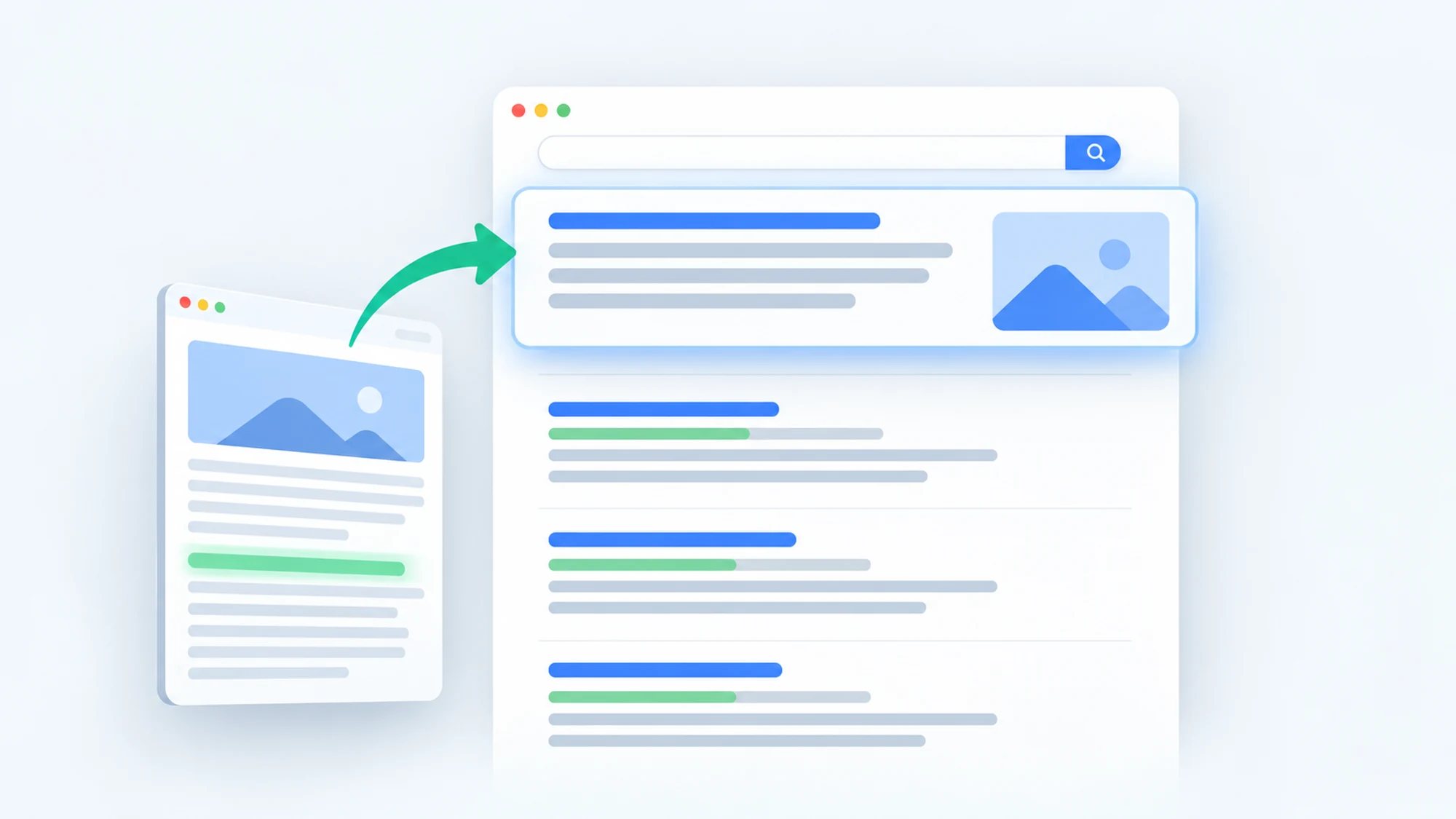
A featured snippet appears above the standard organic results, in its own box, with text pulled directly from a page that clearly answers the user's query — which is why the spot is informally called "position 0." Google doesn't pick this text from the page with the highest overall ranking; it picks it from the page offering the easiest-to-extract answer for the exact search intent, even if that page sits at position 3 or 5 in the organic list.
The difference between a page that "wins" the snippet and one that stays on page one without ever getting it is rarely domain authority. Most often it's format: a short paragraph, a numbered list, or a table, placed right next to the question it answers, with no long introduction before the answer itself.
This article covers the three snippet types (paragraph, list, table), how to find queries with real potential, how to format content for each type, and which mistakes keep pages that rank first organically from ever capturing the box above them.
What a Featured Snippet Is, and Why It Isn't Just About Organic Rank
A featured snippet is a text, list, or table excerpt Google displays above the organic results, along with the source page's title and URL. Its purpose is to answer a query quickly, without the user opening a page — for some queries this reduces clicks, but for others (especially ones that need extra detail) it increases visibility and, typically, traffic too, since it occupies the most prominent spot on the results page.
Google usually selects the text from pages already ranking in the top 10 for the query — position 1 isn't required, but the page must be relevant and easy to parse algorithmically. In practice, the system looks for the clearest, most structurally isolated fragment that directly answers the question, regardless of the rest of the page's content.
The Three Featured Snippet Types and How to Spot Them in the SERP
The format you choose when writing needs to match the snippet type Google already shows for that query — check manually in Google before you write.
- Paragraph snippet — a 40-60 word block of text, used for "what is X," "why does X happen," or definition-type queries. The most common format for informational queries.
- List snippet — numbered steps (for "how to do X") or bullet points (for enumerations, types, categories). Google pulls an `
- ` or `
- ` directly from a well-structured page.
- Table snippet — used for comparative data, prices, specifications, or any content that naturally fits rows and columns (e.g., "difference between X and Y").
How to Find Queries With Real Featured Snippet Potential
Not every query already has a snippet displayed, and some will never get one (especially heavily transactional queries like "buy X"). Prioritize queries that start with explicit questions.
- Check manually in Google whether the main query and its variations already show a snippet — if so, note who owns it and which format it uses.
- Search Google Search Console for queries where your site already ranks at position 2-8 but has a low CTR — these are good candidates, since Google already considers you relevant, but someone else holds position 0.
- Prioritize questions starting with "how," "what is," "why," "how much," "what's the difference" — these generate snippets far more often than navigational or brand queries.
- Skip queries already dominated by large brands (Wikipedia, national publications) with very extensive content — for those queries, competing for the snippet is usually disproportionate effort compared to the likely gain.
How to Format the Answer for Each Snippet Type
The structure around the answer matters as much as the answer itself. Google favors fragments that are clearly isolated, with a question-style subheading right above them.
For paragraph snippets
Phrase the subheading as the exact question (e.g., <h2>What is a featured snippet?</h2>), then answer directly in the first 1-2 sentences of the following paragraph, in a 40-60 word format. Additional detail comes after this initial answer, not before it — Google frequently extracts only the first sentences immediately following the heading.
For list snippets
Use an `
`/`` phrased as "How to do X" or "Steps for X," immediately followed by an `` (for sequential steps) or `` (for unordered enumerations). Each list item should be a short, self-contained sentence that doesn't rely on the previous item to make sense.For table snippets
Use an actual HTML `
` (not an image of a table, and not text visually styled to look like one) with clear column headers (``). Google prefers tables with no more than 4-5 columns and short row content — a very wide table with long text in each cell is harder to extract.Comparison: Paragraph vs. List vs. Table — When to Use Each
Picking the wrong format is the main reason well-written content never captures position 0, even when it contains the correct answer.
Query type Recommended format Optimal length Example query Definition / "what is X" Paragraph 40-60 words "what is a featured snippet" Process / "how to do X" Numbered list 4-8 steps, one sentence each "how to optimize for featured snippets" Enumeration / types, categories Bullet list 3-8 short items "types of featured snippets" Comparison / numeric data Table max. 4-5 columns "difference between snippet and rich result"
Common Mistakes That Cost You Position 0
- Risk: the actual answer only appears after 2-3 paragraphs of generic introduction, not right under the subheading.
Fix: move the answer directly under the ``, and push additional context after it, not before.
- Risk: the subheading is vague or creative (e.g., "A bit about position zero") instead of phrased as a real user question.
Fix: use the exact searched phrasing, or a very close semantic variation. - Risk: content that fits a list is written as continuous prose, with no HTML list markup.
Fix: if the answer has steps or an enumeration, format it explicitly with ``/``, not just commas inside one sentence.
- Risk: the table is built as an image or as visually styled `` elements, not as semantic `
` markup.
Fix: always use real ``/``/`` markup for tabular data, regardless of how it looks visually in CSS.- Risk: the page doesn't rank in the top 10 at all for the target query.
Fix: first work on the page's overall relevance and authority for the query — a snippet doesn't come from a very weak organic position. A Practical 3-Step Plan for a New or Existing Article
- Step 1 — Manual check: search the main query and 3-5 variations in Google, note whether a snippet already exists, what format it uses, and who currently owns it.
- Step 2 — Restructure: add a subheading phrased as the exact question right above the relevant section, then rewrite the first sentences as a direct answer, in the format identified at step 1 (paragraph, list, or table).
- Step 3 — Monitor: recheck the query in Google 2-4 weeks after publishing/ updating — snippets change often, and Google frequently tests alternative sources for the same query.
Frequently Asked Questions About Featured Snippets
Do I need to rank #1 organically to get a featured snippet?
Not necessarily. Google usually picks from the top 10 organic results, and a page ranking 3-6 can capture the snippet if it offers the clearest, best-structured answer for that query.
Does a featured snippet reduce or increase my traffic?
It depends on the query type. For simple questions with a complete answer in a few words, clicks can drop slightly. For queries that need additional context, the snippet increases visibility and, typically, traffic too, since it occupies the most prominent spot on the results page.
How long does it take for a new featured snippet to appear after optimization?
There's no fixed timeframe — it can range from a few days to a few weeks, depending on how often the page gets recrawled and how competitive the query is. Check periodically, not just right after publishing.
Can I have a featured snippet and "People Also Ask" at the same time for the same query?
Yes, the two can coexist for the same query — the main snippet answers the searched question, while the "People Also Ask" section shows related questions, often pulled from pages other than the one holding the main snippet.
Is it worth optimizing old content for featured snippets, or only new articles?
Old content that already ranks well in Google but doesn't hold the snippet is often the fastest opportunity — it only needs restructuring (question subheading + direct answer), not brand-new content from scratch.
Conclusion
Position 0 isn't won through a more authoritative domain or a longer text — it comes from a clear answer, correctly isolated under a subheading phrased as a question, formatted exactly in the block type Google already displays for that query: paragraph, list, or table. The practical next step is to manually check 3-5 queries where your site already ranks well but doesn't hold the snippet, and restructure those sections according to the plan in this guide.
Want an audit of your existing content for featured snippet opportunities? Let's discuss an optimization plan applied directly to your highest-potential articles and pages.
All articlesHappyWeb.ro
 About the author
Ana-Maria Ispas
- ` (for sequential steps) or `
- Risk: the actual answer only appears after 2-3 paragraphs of generic introduction, not right under the subheading.
Fix: move the answer directly under the ``, and push additional context after it, not before.
- Risk: the subheading is vague or creative (e.g., "A bit about position zero") instead of phrased as a real user question.
Fix: use the exact searched phrasing, or a very close semantic variation. - Risk: content that fits a list is written as continuous prose, with no HTML list markup.
Fix: if the answer has steps or an enumeration, format it explicitly with `- `/`
- `, not just commas inside one sentence.
- Risk: the table is built as an image or as visually styled `` elements, not as semantic `
` markup.
Fix: always use real ``/`
`/` ` markup for tabular data, regardless of how it looks visually in CSS. - Risk: the page doesn't rank in the top 10 at all for the target query.
Fix: first work on the page's overall relevance and authority for the query — a snippet doesn't come from a very weak organic position.A Practical 3-Step Plan for a New or Existing Article
- Step 1 — Manual check: search the main query and 3-5 variations in Google, note whether a snippet already exists, what format it uses, and who currently owns it.
- Step 2 — Restructure: add a subheading phrased as the exact question right above the relevant section, then rewrite the first sentences as a direct answer, in the format identified at step 1 (paragraph, list, or table).
- Step 3 — Monitor: recheck the query in Google 2-4 weeks after publishing/ updating — snippets change often, and Google frequently tests alternative sources for the same query.
Frequently Asked Questions About Featured Snippets
Do I need to rank #1 organically to get a featured snippet?
Not necessarily. Google usually picks from the top 10 organic results, and a page ranking 3-6 can capture the snippet if it offers the clearest, best-structured answer for that query.
Does a featured snippet reduce or increase my traffic?
It depends on the query type. For simple questions with a complete answer in a few words, clicks can drop slightly. For queries that need additional context, the snippet increases visibility and, typically, traffic too, since it occupies the most prominent spot on the results page.
How long does it take for a new featured snippet to appear after optimization?
There's no fixed timeframe — it can range from a few days to a few weeks, depending on how often the page gets recrawled and how competitive the query is. Check periodically, not just right after publishing.
Can I have a featured snippet and "People Also Ask" at the same time for the same query?
Yes, the two can coexist for the same query — the main snippet answers the searched question, while the "People Also Ask" section shows related questions, often pulled from pages other than the one holding the main snippet.
Is it worth optimizing old content for featured snippets, or only new articles?
Old content that already ranks well in Google but doesn't hold the snippet is often the fastest opportunity — it only needs restructuring (question subheading + direct answer), not brand-new content from scratch.
Conclusion
Position 0 isn't won through a more authoritative domain or a longer text — it comes from a clear answer, correctly isolated under a subheading phrased as a question, formatted exactly in the block type Google already displays for that query: paragraph, list, or table. The practical next step is to manually check 3-5 queries where your site already ranks well but doesn't hold the snippet, and restructure those sections according to the plan in this guide.
Want an audit of your existing content for featured snippet opportunities? Let's discuss an optimization plan applied directly to your highest-potential articles and pages.
All articlesHappyWeb.ro About the authorAna-Maria Ispas
- Risk: the page doesn't rank in the top 10 at all for the target query.
- ` (for unordered enumerations). Each list item should be a short, self-contained sentence that doesn't rely on the previous item to make sense.
For table snippets
Use an actual HTML `
`). Google prefers tables with no more than 4-5 columns and short row content — a very wide table with long text in each cell is harder to extract.Comparison: Paragraph vs. List vs. Table — When to Use EachPicking the wrong format is the main reason well-written content never captures position 0, even when it contains the correct answer.
Common Mistakes That Cost You Position 0 |
|---|
Write a comment