 EN
 RO

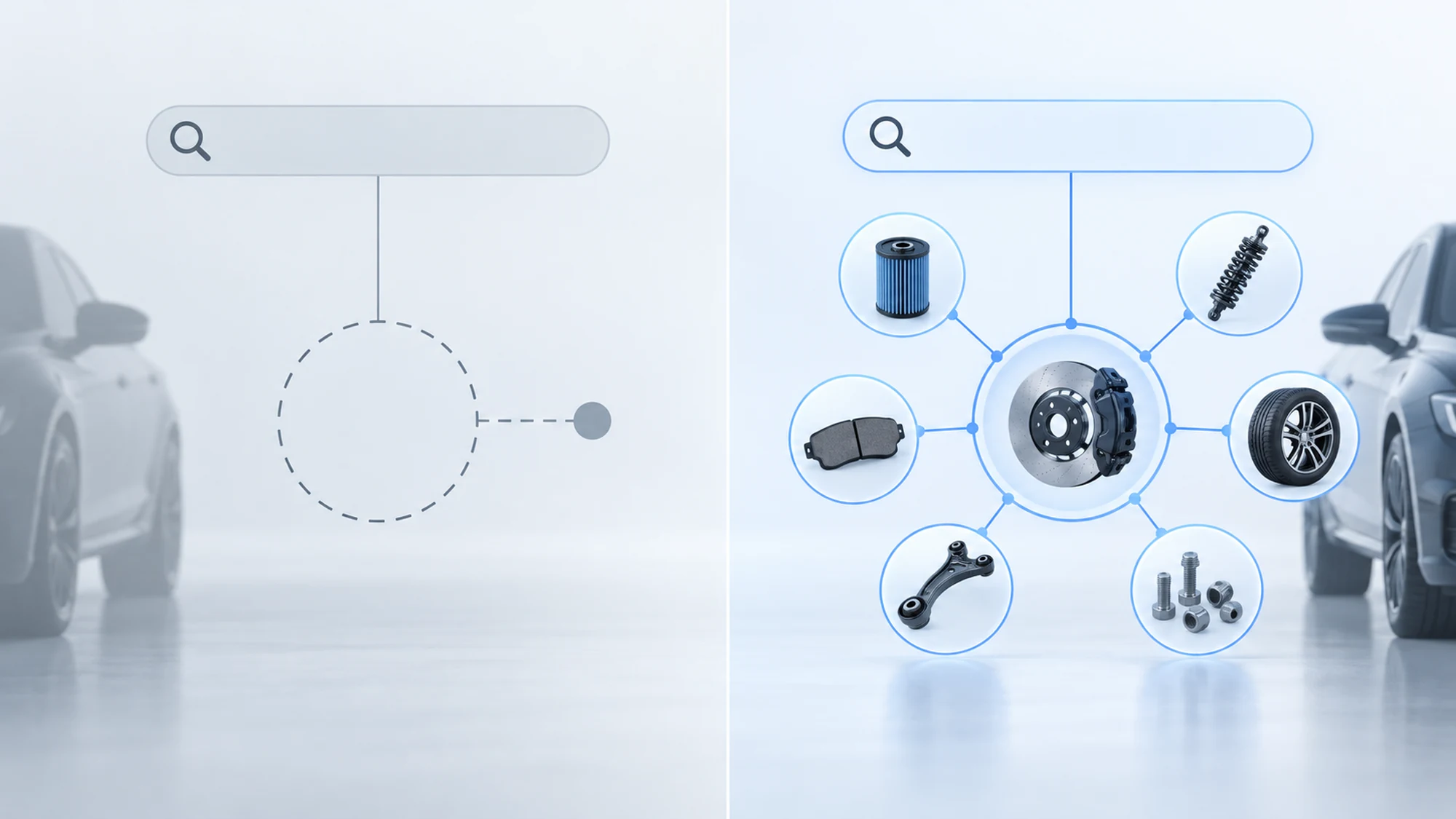
A zero-result search happens when a visitor types a term into an auto parts catalog's search engine and gets an empty page back - no part, no suggestion, no reason to stay on the site. In TecDoc-based auto parts stores, the zero-result search rate is one of the most underrated conversion metrics: a customer who doesn't find the part they were looking for rarely retries with another term. They leave for a competitor whose search works on the first try.
This article walks through the real causes of failed searches in a TecDoc-based catalog - from nomenclature mismatch and incomplete fitment data to technical sync issues - and the fixes that address each cause, plus a practical plan for cutting the zero-result search rate.
Why zero-result searches matter more than they seem to
In a generalist store, an empty result is an annoyance. In a TecDoc-based auto parts store, it's often the exact point where a customer gives up on buying online and calls a local repair shop or switches to a marketplace where they know they'll find something. Auto parts carry multiple codes, names and variants for the same product, and the gap between a "successful search" and a "failed search" often comes down to a single word phrased differently from how it's structured in the TecDoc catalog.
The zero-result search rate is measurable and, unlike many other UX metrics, can be reduced with targeted fixes rather than a full catalog rewrite. The real problem is that few stores actually measure this metric before it starts costing them sales.
Cause 1: mismatch between what customers search for and TecDoc's nomenclature
Customers rarely search using the exact technical name found in the TecDoc catalog. One customer types "front brake shoes" when the catalog structures the item under a technical category ("brake disc pad set"). Another types the car manufacturer's OEM code instead of the matching TecDoc/aftermarket article code, and a simple search doesn't automatically bridge the two.
This mismatch isn't a TecDoc error - it's a natural gap between the technical language of a structured catalog and the everyday language of a buyer who doesn't work in the industry. A store that doesn't compensate for this mismatch at the search-engine level loses exactly the customers who would have bought, but typed the "wrong" term.
Cause 2: incomplete or outdated fitment (compatibility) data
When a customer searches for a part for a specific vehicle (make, model, year, engine) and the catalog returns nothing, the cause is often a missing or outdated KTYPE link between the vehicle and the article, not an actual lack of stock. TecDoc syncs run rarely or only partially, leaving new vehicles or engine variants without a complete mapping to compatible articles.
The same issue shows up with older vehicles or in markets where a model had different commercial names than its internal TecDoc coding - a search using the local model name can fail even though the vehicle exists in the catalog under a different identifier.
Cause 3: VIN search that fails
VIN (Vehicle Identification Number) search is perceived by customers as the safest method - they enter the code from the registration document and expect an exact match. VIN search mainly fails for three reasons: input formatting that isn't handled correctly (spaces, characters easily confused like O and 0, upper/lower case), a vehicle from a market or generation not covered by the decoding database, or a temporary bad response from the VIN decoding service consumed through the TecDoc API.
The difference from cause 1 is that here the customer already did the "right" thing (entered a unique identifier, not an ambiguous term), which makes the failure feel more frustrating - the customer assumes the system, not them, made the mistake.
Cause 4: technical sync, cache and internal mapping issues
Not every zero-result search has a content cause. A meaningful share comes from technical issues: a delayed TecDoc API sync that leaves the local catalog behind the source, a stale search cache serving empty results even though the product was added in the meantime, or internal mapping errors between the store's own categories and TecDoc's categories, introduced after a migration or a schema update.
These causes are the easiest to overlook because they're invisible in the interface - the catalog looks "correct" until someone checks the search logs, where the same term keeps showing up on the zero-result list even though the part exists in the system.
How to measure and prioritize zero-result searches
Without explicit logging of search terms that returned nothing, a store can't know the real scale of the problem. The minimum step is a dedicated log (search term, date, number of occurrences, page the search started from) reviewed periodically, not just after occasional customer complaints.
| Signal measured | What it indicates | Priority |
|---|---|---|
| High-frequency term in the zero-result log | Nomenclature mismatch or missing synonym | High - direct volume impact |
| Failed VIN searches clustered around a date range | Decoding or coverage issue for a batch of vehicles | High - customer assumes the system is broken |
| Zero-result on a specific OEM code, product actually exists | Incomplete OEM-to-aftermarket mapping | Medium - affects a technical customer segment |
| Sudden rise in zero-result rate after a sync | Technical regression (cache, mapping, API) | High - immediate technical check needed |
How to estimate SEO and commercial loss
The internal-search log captures demand expressed after visitors reach the site. For every failed query, keep the normalized term, selected vehicle, category, frequency and the user's next action. Then connect high-value terms with landing pages and the queries available in Google Search Console, plus sessions and orders in analytics. This separates an internal search problem from a real content gap or weak organic visibility.
Frequency alone should not set priority. A moderate-volume term with products in stock and a high basket value can matter more than a popular generic term. Combine frequency, product availability, margin or average order value and the conversion rate of similar successful searches. This estimate prioritizes work; it does not imply that every recovered search becomes a sale.
Practical fixes for reducing the failed-search rate
The most effective fixes don't replace TecDoc data - they add an interpretation layer between the term a customer types and the catalog's structure:
- A synonym dictionary mapping everyday names to technical nomenclature (e.g. "brake shoes" -> "brake pads"), built from the store's own zero-result search log.
- OEM-to-aftermarket mapping visible at search time, not just on the product page, so a customer who types an OEM code lands directly on the available equivalent.
- Autocomplete with suggestions from existing categories, redirecting the search before it ends up on an empty page.
- An empty-result page with alternatives: related categories, a quote request form, or an option to be notified when the part becomes available, instead of a completely blank page.
- VIN input validation and normalization before it's sent to the decoding service, to eliminate failures caused by formatting rather than genuinely missing data.
How to recover the sale without suggesting the wrong part
An empty-results page should continue the conversation rather than hide the failure. It can offer spelling corrections, verified synonyms, nearby categories, OE-code search and a way to complete or change the vehicle. With vehicle context, suggestions must be filtered for compatibility before they are ranked by popularity or stock.
Automatic redirects are appropriate only for unambiguous equivalents and tested rules. When several intents are possible, show the options and let the customer choose. Keep the rule's audit log, source and last review date so a wrong association can be disabled quickly.
The recovery engine can combine lexical similarity and a synonym dictionary, the selected vehicle and aggregate behavior from earlier searches. No signal should bypass compatibility checks. When there is no safe alternative, a quote request or human assistance is better than a forced recommendation.
How to measure whether recovery works
Track the zero-result rate, suggestion interactions, reformulated searches, add-to-cart events and orders after recovery as separate metrics. Compare similar periods and manually review high-volume rules. More clicks are not a success if suggestions create returns or incompatible selections.
A practical plan for cutting the zero-result rate
- Turn on logging for search terms that return no results, with frequency and date.
- Pull the top 20-30 highest-frequency failed terms weekly.
- Classify each term: nomenclature mismatch, missing fitment, failed VIN, or technical issue.
- Fix the high-volume, content-caused terms first (synonyms, OEM mapping) - low effort, fast impact.
- Schedule a technical check (sync, cache, category mapping) after every major catalog or internal schema update.
- Repeat the cycle monthly and track the zero-result search rate as an ongoing metric, not a one-off project.
When a custom fix is worth it versus simple configuration
For a catalog with low search volume, a manually maintained synonym dictionary and an empty-result page with alternatives cover most cases. For a store with high traffic or a multi-brand catalog, the failed-search log justifies a more structured approach: synonyms generated from real data at scale, automated OEM mapping, and continuous monitoring of the zero-result rate as part of the TecDoc sync process itself, not a separate task done occasionally.
Frequently asked questions about zero-result search in the TecDoc catalog
What does zero-result search mean in a TecDoc catalog?
It's a search where the customer enters a term, a code, or a VIN and the catalog returns a page with no part, no alternative suggestion, and no clear next action.
Why does VIN search fail even when the vehicle exists in the catalog?
Most often because of input formatting (spaces, ambiguous characters) or a temporary bad response from the decoding service consumed through the TecDoc API, not because the vehicle is genuinely missing from the database.
How often should the zero-result search log be reviewed?
As a general guideline, weekly for pulling high-frequency terms and monthly for a full review of the synonym dictionary and OEM mapping, depending on the store's traffic volume.
Does a synonym dictionary remove the need for a correct TecDoc sync?
No. Synonyms fix the language mismatch between the customer and the catalog, but they don't replace a correct, up-to-date TecDoc sync - if the fitment data is genuinely missing, no synonym can display a part that has no mapping to the vehicle.
Can the zero-result search rate spike with no visible change on the site?
Yes, usually after a TecDoc sync, a category migration, or an internal schema update that silently breaks the mapping between the store's own categories and the catalog's categories - which is why a technical check after every major update is necessary.
Conclusion
Zero-result searches aren't an unavoidable flaw of the TecDoc catalog - they're a measurable signal showing exactly where a store loses customers who were ready to buy. A failed-search log, a synonym dictionary built from real data, and a technical check after every sync turn zero-result search from an invisible conversion leak into a continuous improvement process.
Want to integrate TecDoc into your auto parts store? Get in touch for a consultation.

Write a comment