 EN
 RO

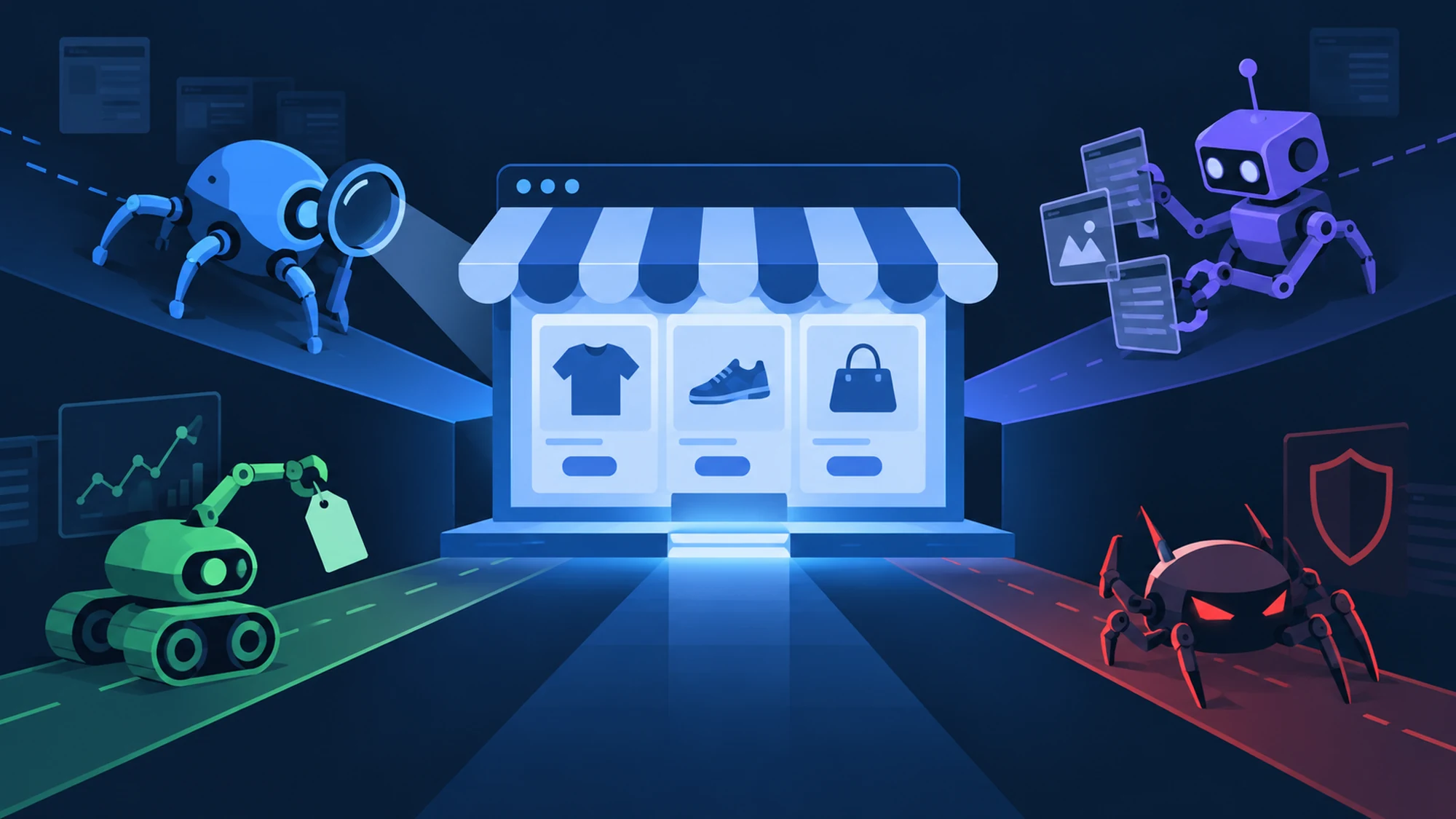
Not every bot visiting your site is Googlebot showing up to index it. Every online store gets daily visits from several kinds of crawlers, each with a different role: some index pages for search, some monitor competitor prices, some extract product data for their own catalogs, and some serve no legitimate purpose at all. Mixing up these roles leads either to accidentally blocking a useful bot (with a direct SEO cost) or to ignoring a bot that's quietly eating into your margin through aggressive price tracking.
This article walks through the four main roles a crawler can have when it hits an online store, how each differs from Googlebot in purpose and behavior, and what practical steps you have to tell them apart, straight from your server logs or analytics.
This is relevant if you run an eCommerce site with mixed bot traffic, or if you've already noticed unusual visits in your logs and aren't sure whether it's SEO crawling, a competitor tracking your prices, or something less welcome.
What Googlebot actually does — and why it isn't "just another crawler"
Googlebot is the crawler Google uses to discover and index web pages, with one single purpose: gathering content the search engine can display in results. It visits pages, follows internal links, reads the text content and HTML structure, then passes that information on to the indexing and ranking algorithms.
Its behavior is predictable and publicly documented: it strictly respects the robots.txt file, uses an identifiable user-agent ("Googlebot"), and can be officially verified through reverse DNS lookup of the request's IP address. It doesn't extract product data into a structured format for external reuse — it indexes the page as a whole, for search purposes.
Role 1: indexing crawlers (Googlebot and equivalents)
This category includes Googlebot, as well as Bingbot and crawlers from other search engines used less often in some markets. Their purpose is identical: content discovery for search results. For an online store, this type of crawler is welcome — without it, product pages never gain any organic visibility in search.
Accidentally blocking these bots (for example, through an overly broad robots.txt rule or a misconfigured firewall) directly cuts the store's organic visibility, sometimes without the administrator noticing the cause of the traffic drop right away.
Role 2: price and competitor monitoring crawlers
This type of bot periodically visits a store's product pages and extracts specifically the price, stock level, and sometimes availability — not the whole page content. It might belong to a direct competitor, to a price intelligence tool used by an agency, or even to your own company, if you run a market-monitoring project.
The difference from Googlebot lies in purpose and frequency: this crawler isn't trying to index the page for search, it's extracting one very specific field, repeated at short intervals (often several times a day, not once every few days as with reindexing). A very high visit frequency to the same product pages, without a typical human browsing pattern, is a clear sign of this role.
Role 3: catalog data extraction crawlers (business crawling)
This is the role behind crawling services used for automated catalog population, product feed generation (Google Shopping, marketplaces), or content aggregation from multiple sources. The purpose isn't search indexing — it's turning public data on a page into a structured, reusable format (Excel, database, XML/CSV feed) for another system.
A properly built crawler like this respects robots.txt, uses its own identifiable user-agent, and enforces controlled pauses between requests, behaving like a responsible visitor rather than an attack. You can read a full step-by-step breakdown of how such a script works in our guide on how a crawling bot works.
Role 4: bots with no legitimate purpose (aggressive scraping, automated attacks)
Not every bot reaching an online store has a declared or useful purpose for the site. This category includes aggressive content scraping (full copying of descriptions and images, with no rate limiting at all), credential stuffing bots that test username/password combinations on the login page, or bots trying to abuse contact or checkout forms for automated spam.
The telltale sign of this category is aggressive behavior: thousands of requests in a short window, complete disregard for robots.txt, a spoofed user-agent (disguised as a regular browser), and often rotating IPs from unknown sources.
Comparison table: the four crawler roles
| Role | Purpose | Typical behavior | How you respond |
|---|---|---|---|
| Indexing (Googlebot etc.) | Organic search visibility | Respects robots.txt, verifiable user-agent, moderate frequency | Allow explicitly, don't block |
| Price monitoring | Track competitor price/stock | Frequent visits to the same product pages | Observe, decide whether to limit or accept |
| Catalog data extraction | Catalog population, feeds, aggregation | Own user-agent, rate limiting, respects robots.txt | Allow if it's a legitimate, agreed-upon project |
| Aggressive scraping / attack | No declared legitimate purpose | High volume, robots.txt ignored, spoofed user-agent | Block (rate limiting, WAF, IP blocking) |
How to tell bots apart in your own site's logs
You don't need complicated tools for a first check — the information already sits in your server logs or in any analytics tool that records user-agent and IP.
- Check the declared user-agent — a legitimate bot usually identifies itself clearly ("Googlebot", "Bingbot", or the proper name of a crawling service).
- Confirm through IP, not just by name — for Googlebot, Google publishes an official verification method via reverse DNS lookup of the IP; a user-agent claiming to be Googlebot but coming from an IP outside Google's network is suspicious.
- Watch the frequency and browsing pattern — repeated visits, at short intervals, to the same product pages (with no browsing of categories or other sections) points to price monitoring, not indexing.
- Check whether it respects robots.txt — a bot that keeps accessing pages explicitly excluded via robots.txt isn't behaving like a responsible crawler.
Common risks and how to avoid them
The most common risk isn't a bot's presence — it's reacting to it the wrong way.
- Accidentally blocking Googlebot — an overly broad robots.txt rule or a firewall configured on user-agent can exclude the indexing crawler without meaning to. The result is a drop in organic visibility, sometimes noticed only weeks later. Mitigation: test any new rule in Google Search Console before pushing it live.
- Ignoring price monitoring entirely — if a competitor is consistently extracting your prices without you noticing, you can lose margin without knowing why sales drop on certain products. Mitigation: periodically review logs for repetitive patterns on product pages.
- Blocking all bots, including useful ones — an overly aggressive security setup can also block a legitimate crawling service you commissioned yourself for catalog population or feed generation. Mitigation: keep an explicit whitelist for your own crawling provider's user-agent.
Practical checklist for managing bots on an online store
- Do you have an up-to-date
robots.txtfile that explicitly allows indexing bots? - Have you ever checked your server logs for unusual bot traffic?
- Can you tell a real user-agent from a spoofed one (IP verification)?
- Do you have rate limiting configured for excessive requests, without affecting human traffic?
- Do you keep a whitelist for legitimate bots you commission yourself (agreed-upon crawling)?
Frequently asked questions about crawler roles
How do I know for sure a bot is really Googlebot and not a spoofed one?
The declared user-agent alone isn't enough, since anyone can copy it. The reliable method is verifying the IP through reverse DNS lookup, per Google's officially published method; if the IP doesn't belong to Google's network, the bot isn't real Googlebot, no matter what user-agent it declares.
Is a price-monitoring crawler illegal?
Not automatically — it depends on what data it extracts, how aggressively it behaves, and whether it respects the target site's terms and robots.txt. For legally unclear situations, we recommend consulting a specialist, especially if personal data is involved.
If I block all unknown bots, am I safer?
Not necessarily. You risk blocking useful bots too (indexing, crawling services you commissioned yourself) if the rules aren't specific. A more effective approach is explicitly identifying the bots you want (whitelist) and limiting, rather than fully blocking, the rest of suspicious traffic.
Why do I see bots in my logs claiming to be Googlebot but coming from different IPs?
This is a common sign of a spoofed user-agent, used either to bypass blocks or by bots with an unclear purpose. IP verification remains the only reliable way to confirm it.
Conclusion
An online store gets visits from at least four types of crawlers, with completely different roles: search indexing, price monitoring, structured data extraction for catalogs, and sometimes scraping with no legitimate purpose. Confusing Googlebot with the other roles leads either to losing organic visibility or to ignoring real risks to margin and security. The difference comes down to verification — user-agent, IP, frequency, robots.txt compliance — not assumptions.
If you want a custom-built crawler, done right from the start (respects robots.txt, rate limiting, delivery in the format you need) for price monitoring or catalog population, contact us for an offer tailored to your exact data source. You can also check the full details of our web crawling service.
Image generated with AI, used for illustrative purposes.

Write a comment