 EN
EN RO
RO
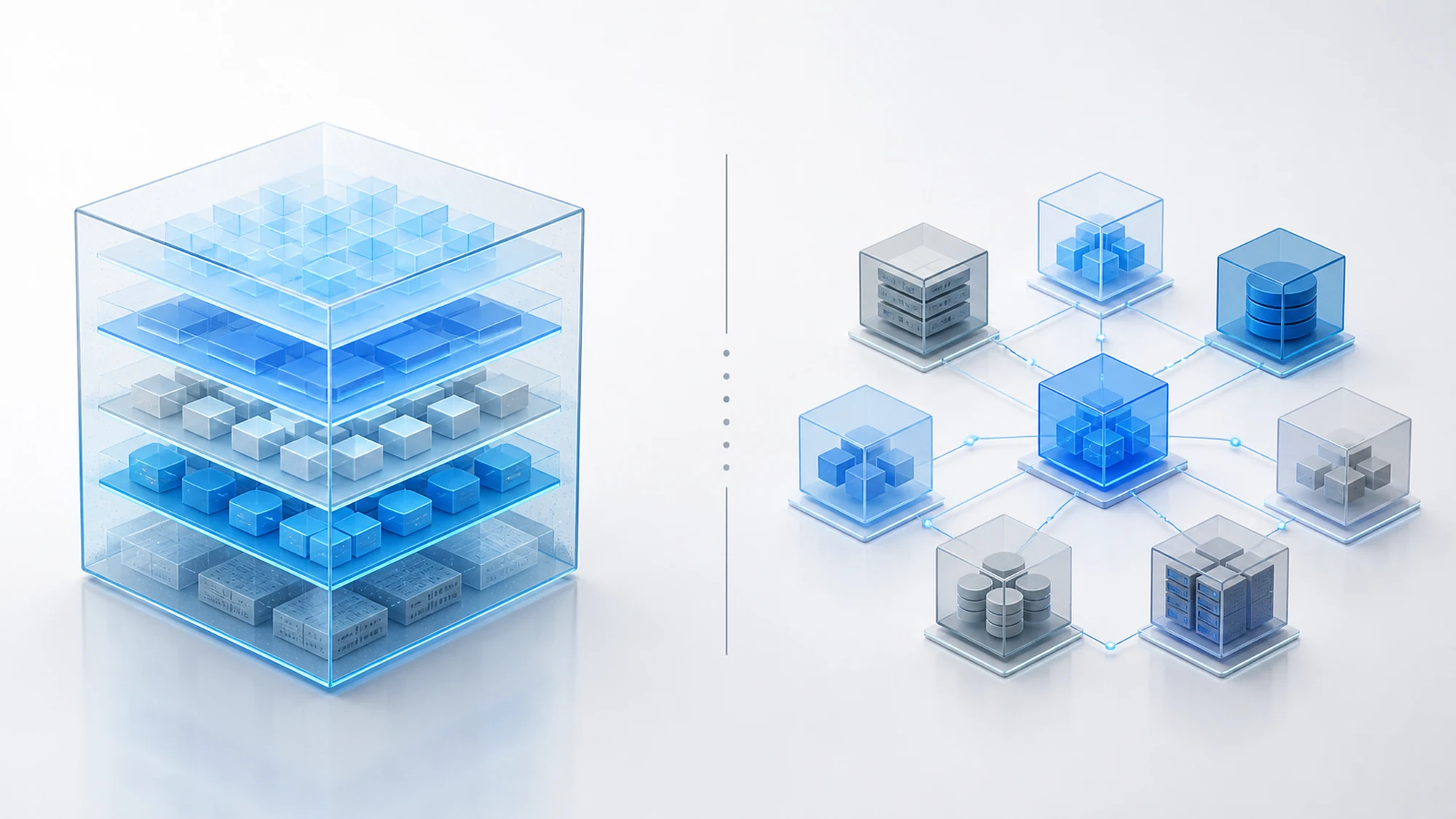
For most internal management applications, a well-structured Laravel monolith organized into internal logical modules is the right choice at launch; splitting into genuinely separate services only becomes justified when different teams need to work independently on different parts of the application, or when a single module needs to scale separately from the rest. The decision isn't made from a technical preference, but from concrete tests run against the application's actual requirements.
Getting it wrong costs you either way: a monolith never tested against growth scenarios becomes hard to maintain within two or three years, while a separate-modules architecture adopted prematurely adds operational complexity — networking, deployment, separate monitoring — that the team can't justify at the current scale.
This guide, from HappyWeb's own experience, walks through the practical tests we run before choosing the architecture of a custom business application, what each approach looks like in Laravel, and which criteria actually weigh in the decision.
What a Modular Laravel Monolith Means in Practice
A Laravel monolith doesn't mean code dumped into a single folder. A well-built monolith application separates its logic internally into clear modules — billing, inventory management, approvals, reporting — each with its own models, services and routes, but all running as a single application, with a single codebase, a single deployment process and, usually, a single database.
Communication between modules happens directly, through function and service calls within the same process, without networking, without message queues, and without the need to maintain API contracts between internal components.
What Separate Modules Mean in Practice
A separate-modules architecture (often called modular-distributed or, at the extreme, microservices) splits the application into independent components, each with its own process, its own deployment and, frequently, its own database. Communication between modules happens over the network — internal APIs or message queues — not through a direct function call.
Each module can be developed, tested, scaled and released independently of the others, but the price of that independence is additional operational complexity: multiple runtime environments, distributed monitoring, and managing data consistency across modules.
The Practical Tests We Run Before Choosing an Architecture
Before deciding, we evaluate the application against concrete criteria, not a general preference for "modern architecture":
- The team test: how many distinct teams will work on the application at the same time over the medium term? A single small team works more efficiently on a monolith; multiple independent teams benefit from clear boundaries between separate modules.
- The uneven scaling test: does any module have traffic or processing volume far above the rest of the application (e.g. heavy report generation, large file processing)? If so, that module can justify separation even if the rest of the application remains a monolith.
- The deployment cycle test: do different modules need to go live at different paces, without waiting for other features to be finished? If the answer is frequently "yes", a monolith's shared deployment becomes a real bottleneck.
- The data coupling test: how often do modules need to read or write the same data within the same transaction? Tight data coupling favors a monolith; modules with practically independent data are better suited to separation.
- The operational cost test: does the team have the capacity — people, time, infrastructure — to monitor and maintain multiple separate services, with all the networking and consistency risks they bring? If not, premature separation turns a theoretical advantage into a real operational cost.
Monolith vs Separate Modules: Comparison by Decision Criteria
| Criterion | Modular Laravel Monolith | Separate Modules |
|---|---|---|
| Development speed at launch | Fast, a single codebase and a single runtime environment | Slower, requires infrastructure and defined API contracts from the start |
| Teams involved | Ideal for a single team or small, tightly coordinated teams | Advantageous when distinct teams work independently on different modules |
| Scaling | Scaling applies to the whole application, even if only one module needs it | Independent scaling, only the high-traffic module consumes extra resources |
| Deployment | A single deployment process for the whole application | Independent deployment per module, but requires extra orchestration |
| Operational complexity | Low — a single environment to monitor and maintain | High — distributed monitoring, networking and data consistency |
| Data consistency | Simple, direct transactions on the same database | Requires explicit strategies for consistent data across modules |
Common Risks and How We Manage Them in Each Approach
- Monolith turning into a "big ball of mud": without clearly separated internal modules, a monolith degenerates into tightly interconnected code that's hard to maintain. Mitigation: we enforce strict internal boundaries between modules (namespaces, dedicated services), even while running in the same process.
- Premature separation without real need: separate modules introduced before the team or scale justifies them add cost without measurable benefit. Mitigation: we apply the tests above before separating any component.
- Latency and network failures between separate modules: calls over the network can fail or time out in ways a direct function call never risks. Mitigation: controlled retries and circuit breakers on critical calls between modules.
- Duplicate or inconsistent data across separate modules: each module with its own database can end up holding different versions of the same information. Mitigation: we clearly define which module owns each type of data and how changes propagate.
- Difficult migration from monolith to modules if not prepared early: a monolith with poorly separated internal modules is hard to "cut" later. Mitigation: we keep modular boundaries clean from the start, even while everything runs as a monolith, specifically to allow later extraction without a full rewrite.
Practical Plan: How to Test the Right Architecture for Your Application
- Map business processes into logical modules (billing, inventory, approvals, reporting) regardless of the final architecture.
- Estimate how many distinct teams will develop the application over the next 1-2 years.
- Identify whether any module has a traffic or processing profile visibly different from the rest of the application.
- Check how often modules need to read/write the same data within the same operation.
- Honestly assess the team's operational and maintenance capacity for distributed infrastructure.
- Build the monolith with clearly separated internal modules regardless of the outcome — it's the safe starting point in both scenarios.
- Extract a specific module into a separate service only when the tests above show a concrete, measurable benefit, not a theoretical one.
Portfolio Example: Modular Monolith for B2B Internal Management
The application HappyWeb built for Kai Ceramics — managing displays across partner stores, service ticket administration and dedicated B2B workflows — was built as a Laravel monolith with internal modules clearly separated by feature, not as distinct services. A single team developed and maintains the application, data flows between modules (displays, tickets, users) are tightly linked, and the traffic volume doesn't justify, at this stage, the cost of a distributed architecture.
The internal boundaries between modules were, however, kept clean from the first version — precisely so that if volume or team size grow significantly, extracting a specific module into a separate service becomes possible without a full rewrite of the application.
Frequently Asked Questions About Monolith vs Separate Modules
Is a Laravel monolith always a less scalable solution?
No. A well-structured monolith, running on correctly sized infrastructure, can support a considerable volume of users and transactions. The limit appears when a single module needs resources far beyond the rest of the application.
When is it worth moving from a monolith to separate modules?
When the team, uneven scaling or deployment cycle tests show a concrete benefit — not preemptively, "just in case". Premature separation adds operational cost without a real problem to solve.
Can you combine a monolith with a single separate module?
Yes, this is a common and pragmatic approach: the rest of the application stays a monolith, while only the module with special scaling or isolation needs is extracted as a separate service.
How difficult is a later migration from monolith to separate modules?
It depends directly on how clean the internal module boundaries were from the start. A monolith with well-isolated internal modules can be "cut" in a relatively controlled way; a monolith with heavily interconnected code usually requires a significant partial rewrite.
Conclusion: Choose Architecture Based on Tests, Not Trends
For an internal management business application, a modular Laravel monolith is the right starting point in most cases — fast to build, simple to operate and sufficient for the typical volume and team of a custom project. Separate modules only become justified when the team, uneven scaling or deployment cycle tests show a real benefit, not just a preference for a more complex architecture.
Want us to test which architecture fits your internal management application? Contact us for a discussion about your project.
Need an architecture sized correctly for your B2B application?
HappyWeb builds custom business web applications on a Laravel foundation, tested against real team and scaling criteria, not architectural trends. See our portfolio for similar projects.
Related Articles
Image generated with AI, used for illustrative purposes.

Write a comment