 EN
EN RO
RO
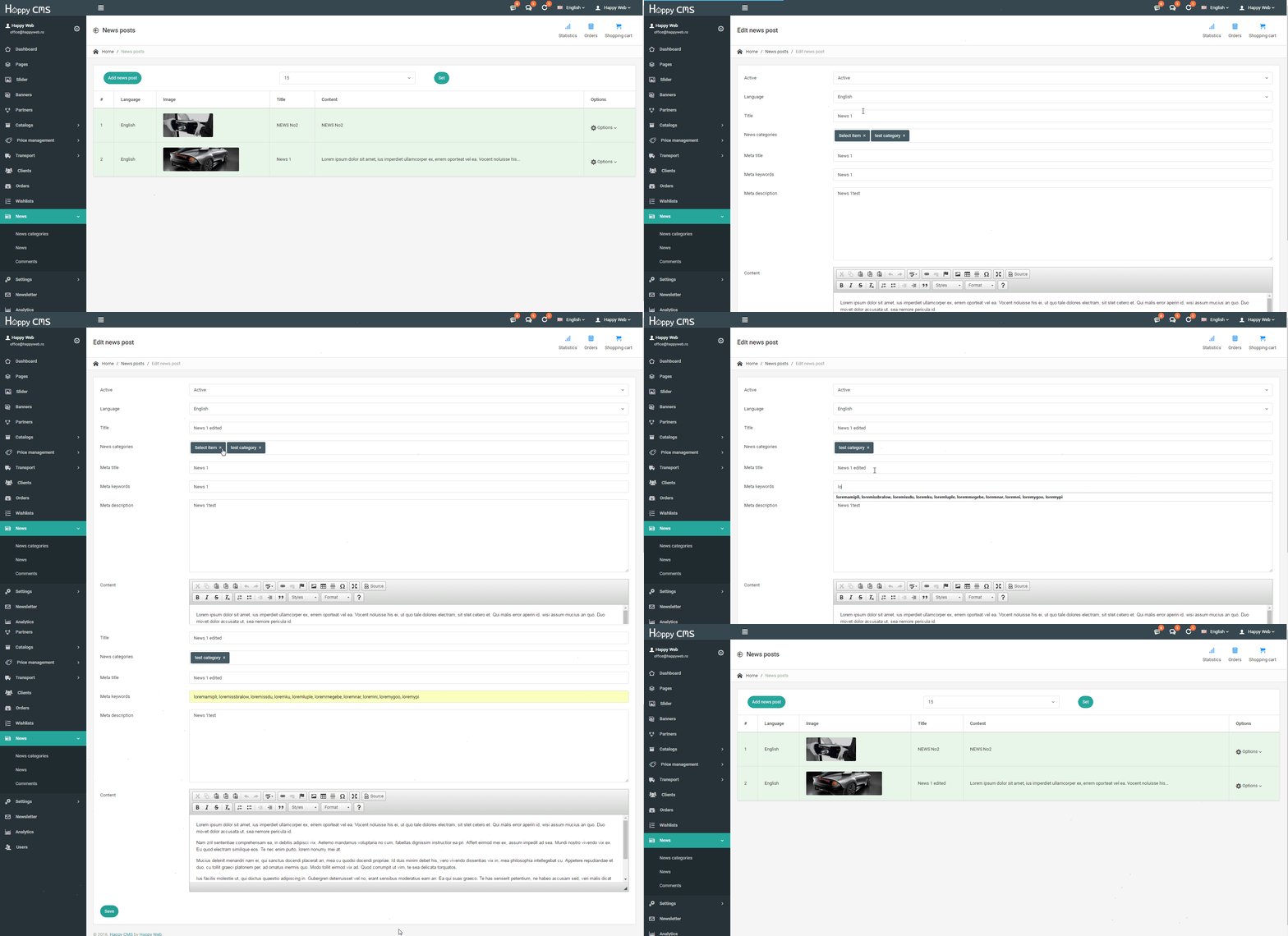
Click an image to enlarge it.
- In the control panel of news click on "Options", where will display more items, including "Edit"
- A new window will open populated with information from the page that needs to be edited
- Edit the desired sections
- Save using the button "Save"